
Every style in MonAI has a small star in its top-right corner. The star is a favorite button: use it to keep the styles you use most at the front of the list, so you don't have to scroll to find them.
¶ Add a favorite
Tap the outlined star on any style.
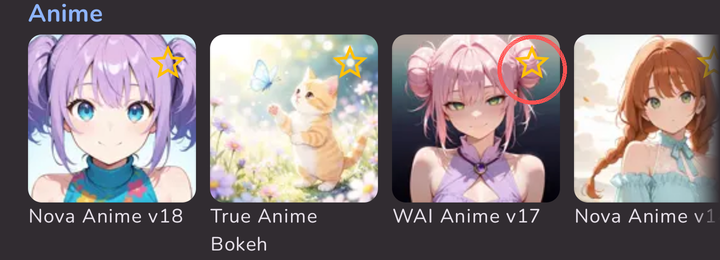
The star fills in gold, and the style moves to the front of its group.
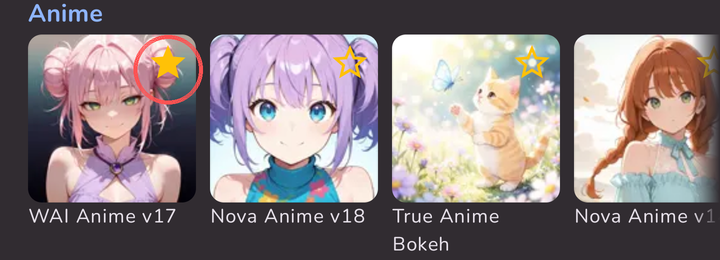
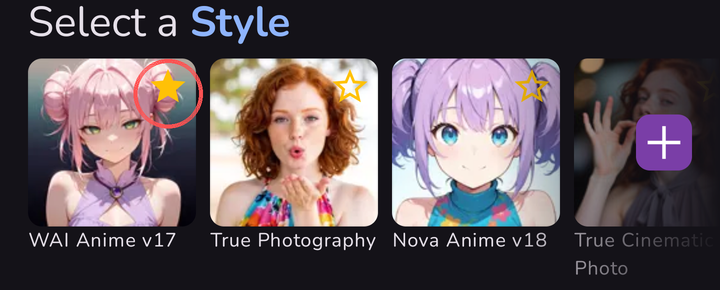
Your favorites also come first in the Select a Style row on the main screen.
¶ Remove a favorite
Tap the filled star again. The star goes back to an outline and the style returns to its usual place.
¶ Good to know
- Favorites are saved on your phone, not on your MonAI account. If you clear the app's data, reinstall MonAI, or switch to a new phone, you'll need to star your favorite styles again.
- The star works the same way in the full style list (tap + at the end of the style row) and on the main screen.
Source: the MonAI wiki · Updated · First published