
¶ How to add artwork to the MonAI Wiki
If you have some artwork you'd like to share on the MonAI wiki, these instructions will show how to upload the image and add it to the page.
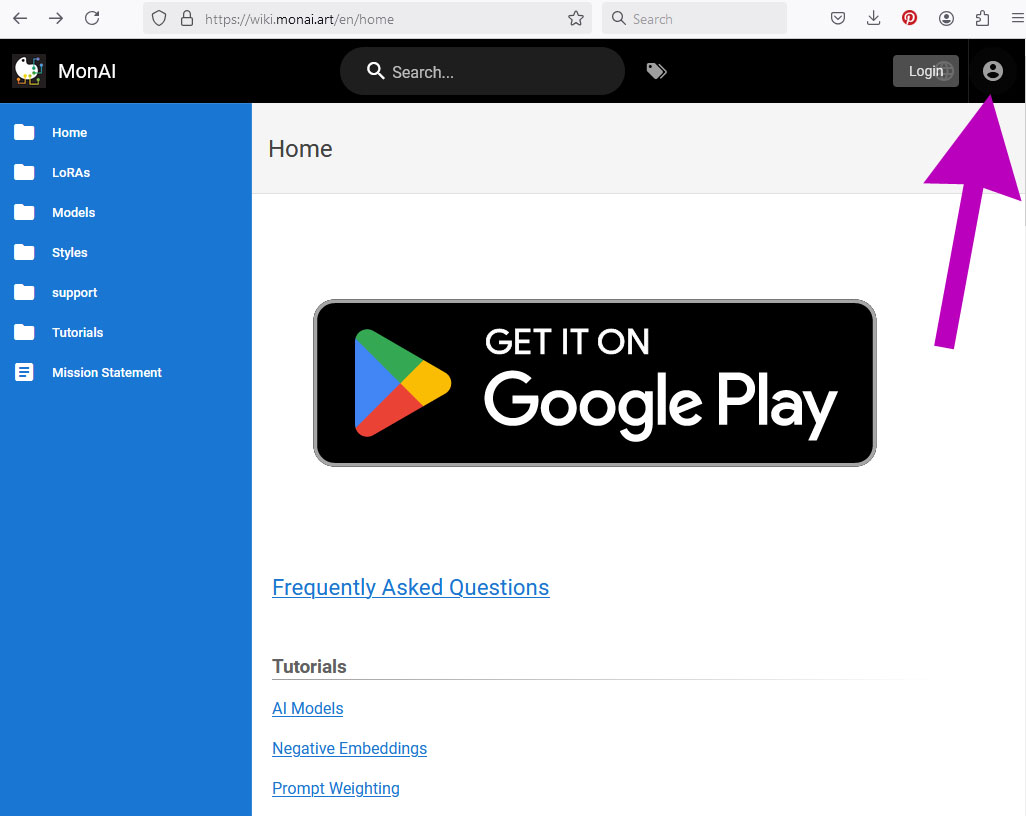
¶ If this is your first visit, tap the icon to login in the upper right.
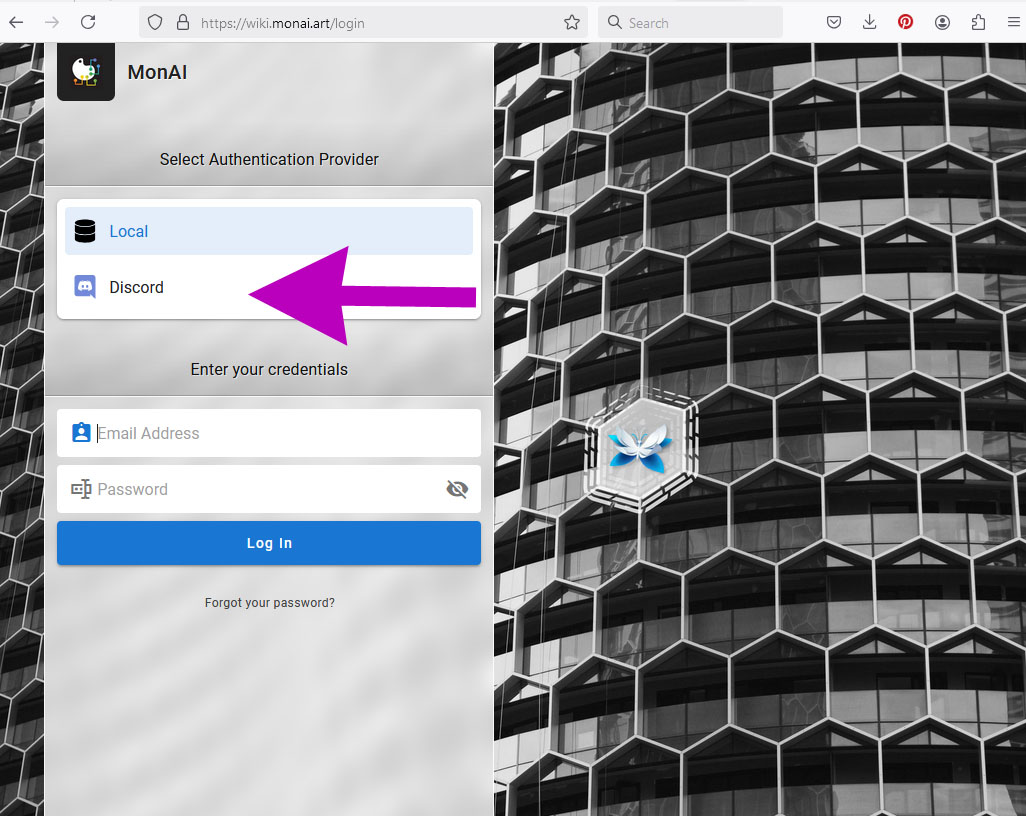
¶ You can login with your Discord ID or Email.
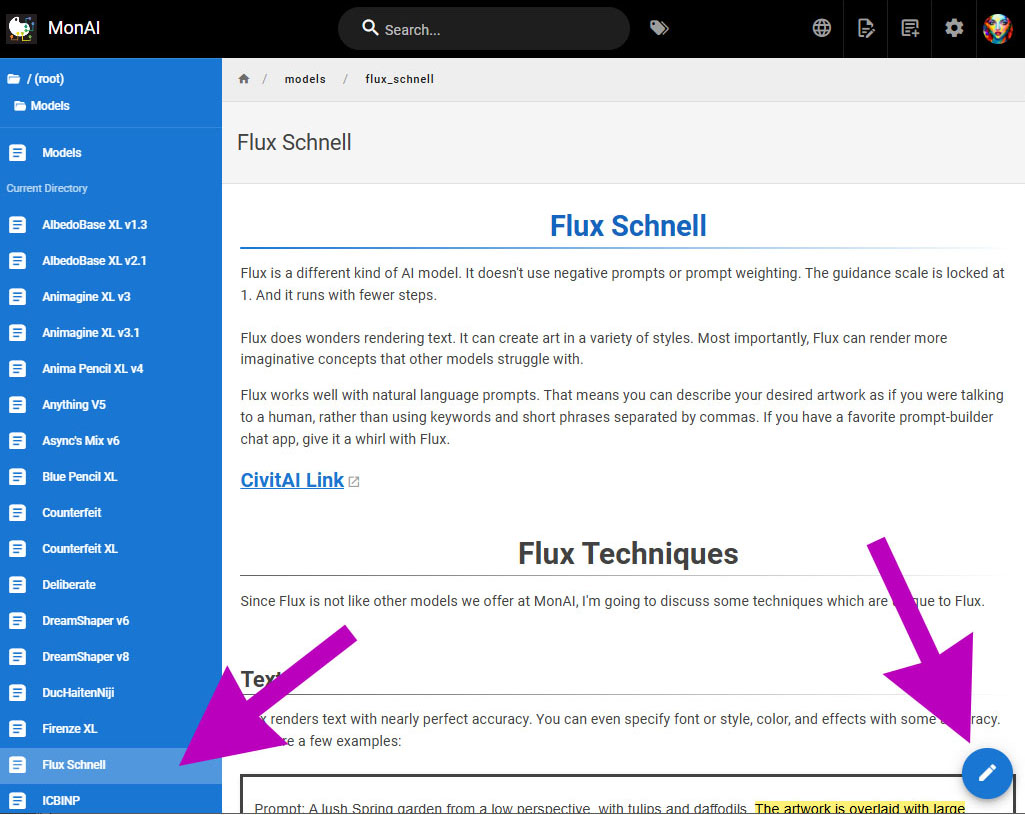
¶ Select the page for the AI model you used to make the artwork, then tap the blue pencil button to edit the page.
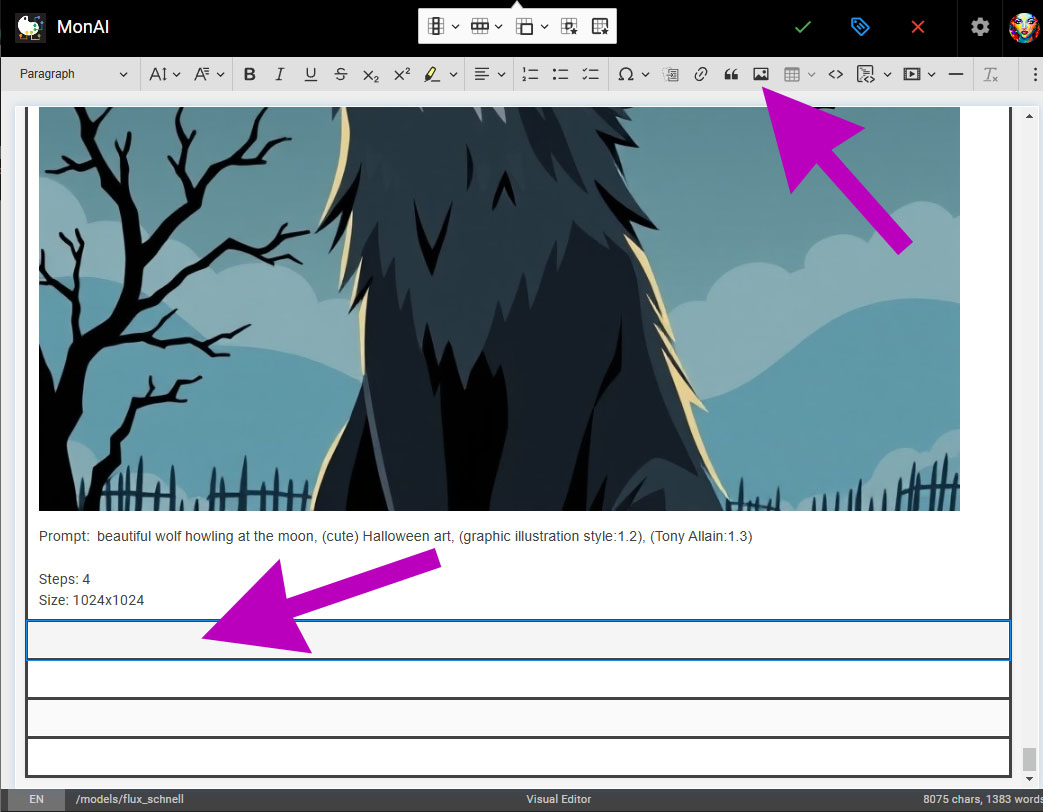
¶ Scroll down to the bottom of the page. Tap on the first empty row, then tap on the Add Image button near the top.
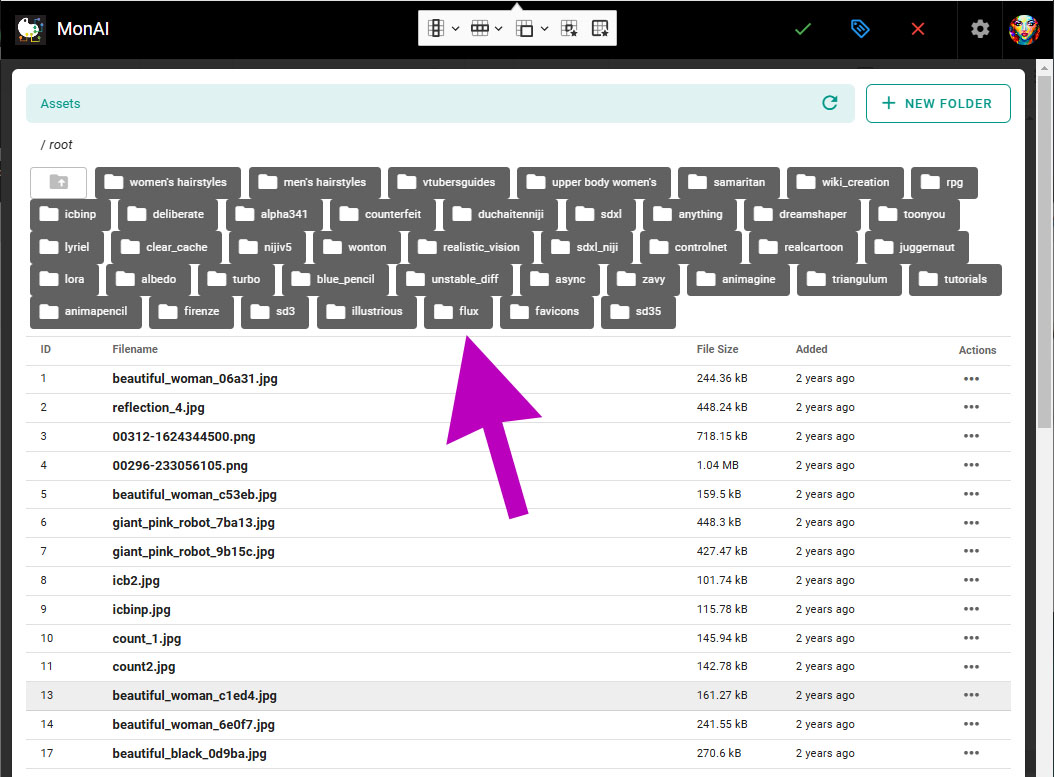
¶ Tap the folder for the model you are using.
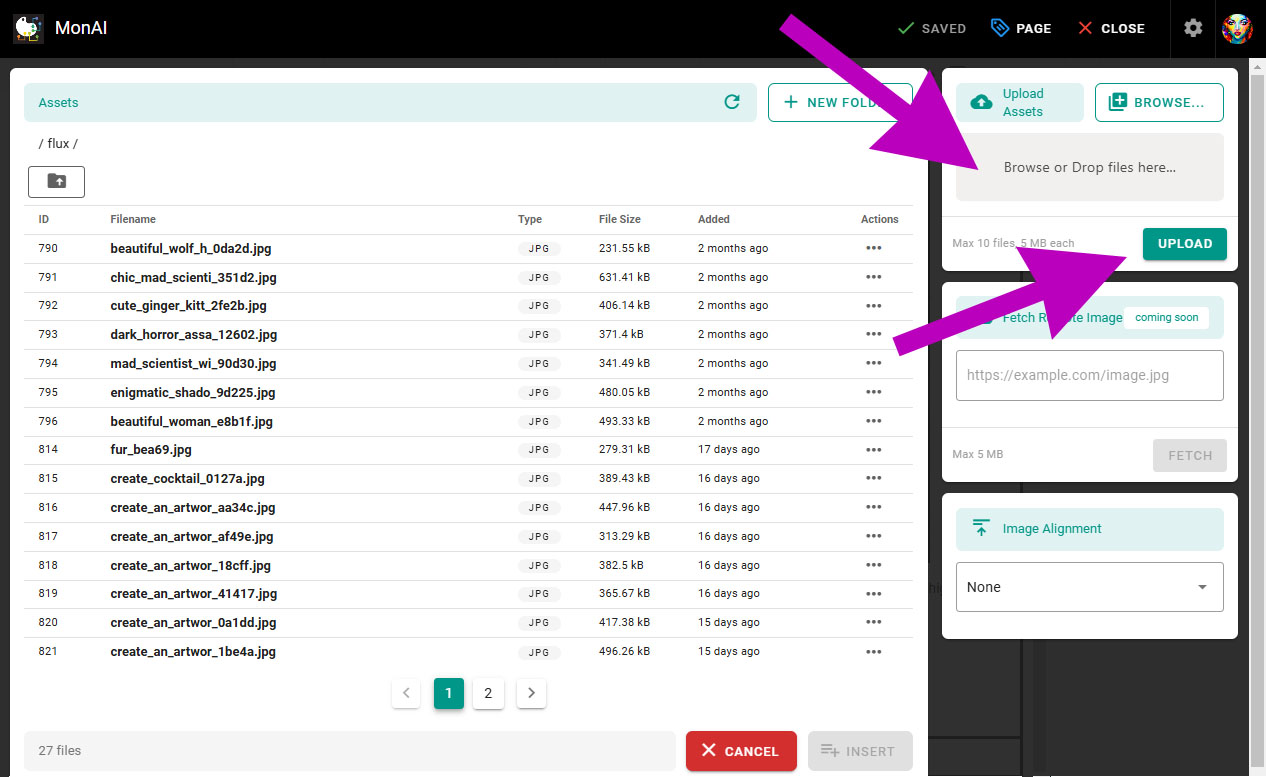
¶ Select the images you want to upload, then tap UPLOAD
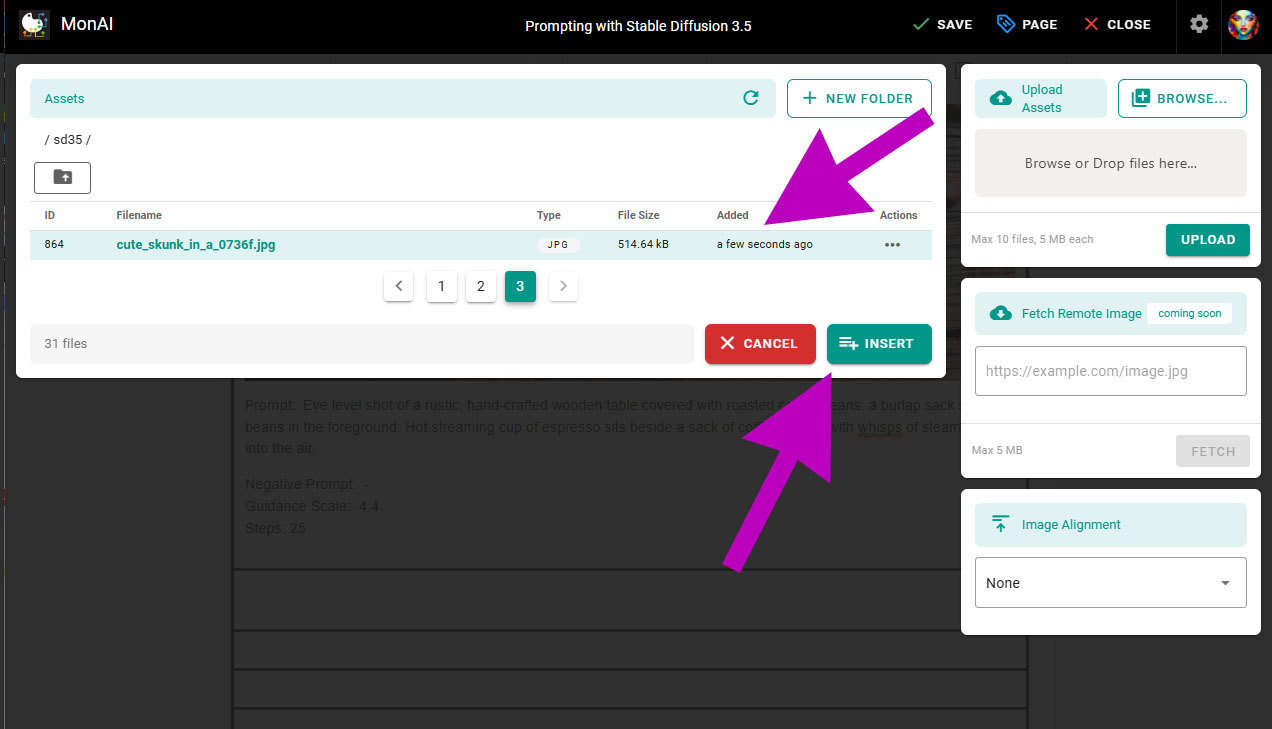
¶ Tap the image, then INSERT
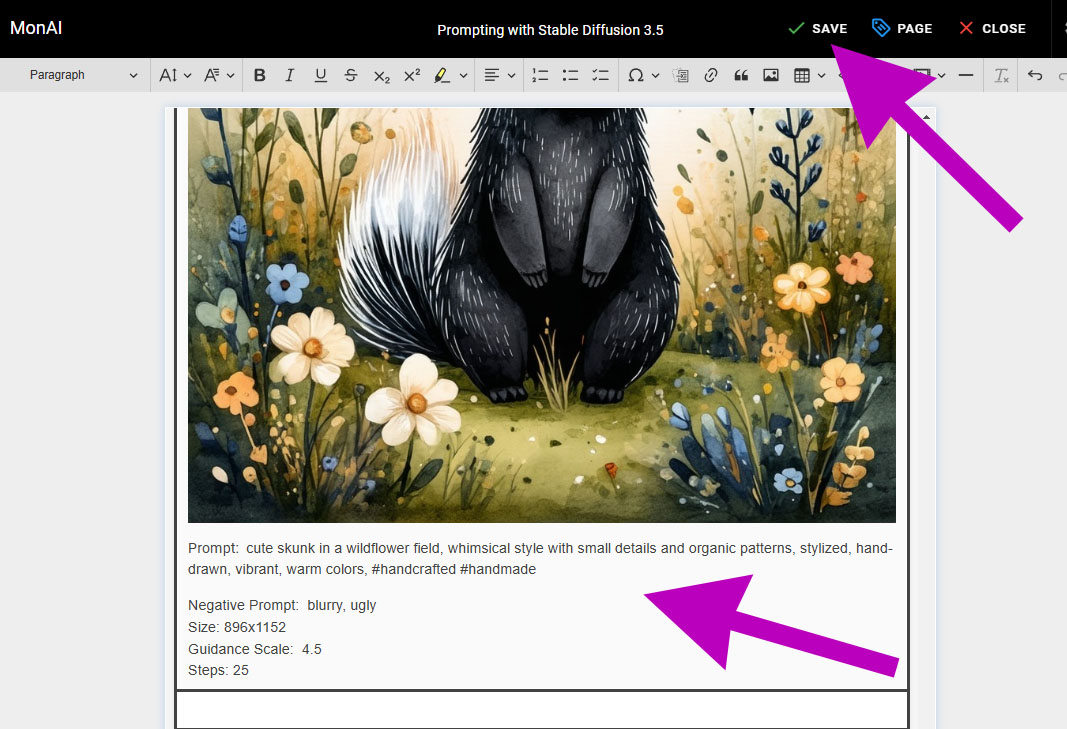
¶ Once the image is inserted, add your prompt and rendering data below. You can copy the data from the image above for reference. When you are done, tap SAVE
Source: the MonAI wiki · Updated · First published